How to Add and Invoice Extras After a Booking
Events are complex, and pinning down a quote upfront is rarely straightforward. Guest numbers can grow, the booker might need an extra hour, or want to treat everyone to a little more food and drink. You can now easily add extra charges, such as additional rental time or extra food and drink consumption, after the booker has paid the deposit on your initial quote.
Here is how it works.
1. Find the booking
Go to the booking you want to add extras to on your My requests page. You will find the booking under either the Confirmed tab or the Completed tab.
Bear in mind that you can only add extras to bookings where the booker has accepted and paid either the deposit or the full amount. You can add extras before or after the event.
2. Create an Invoice for Extras
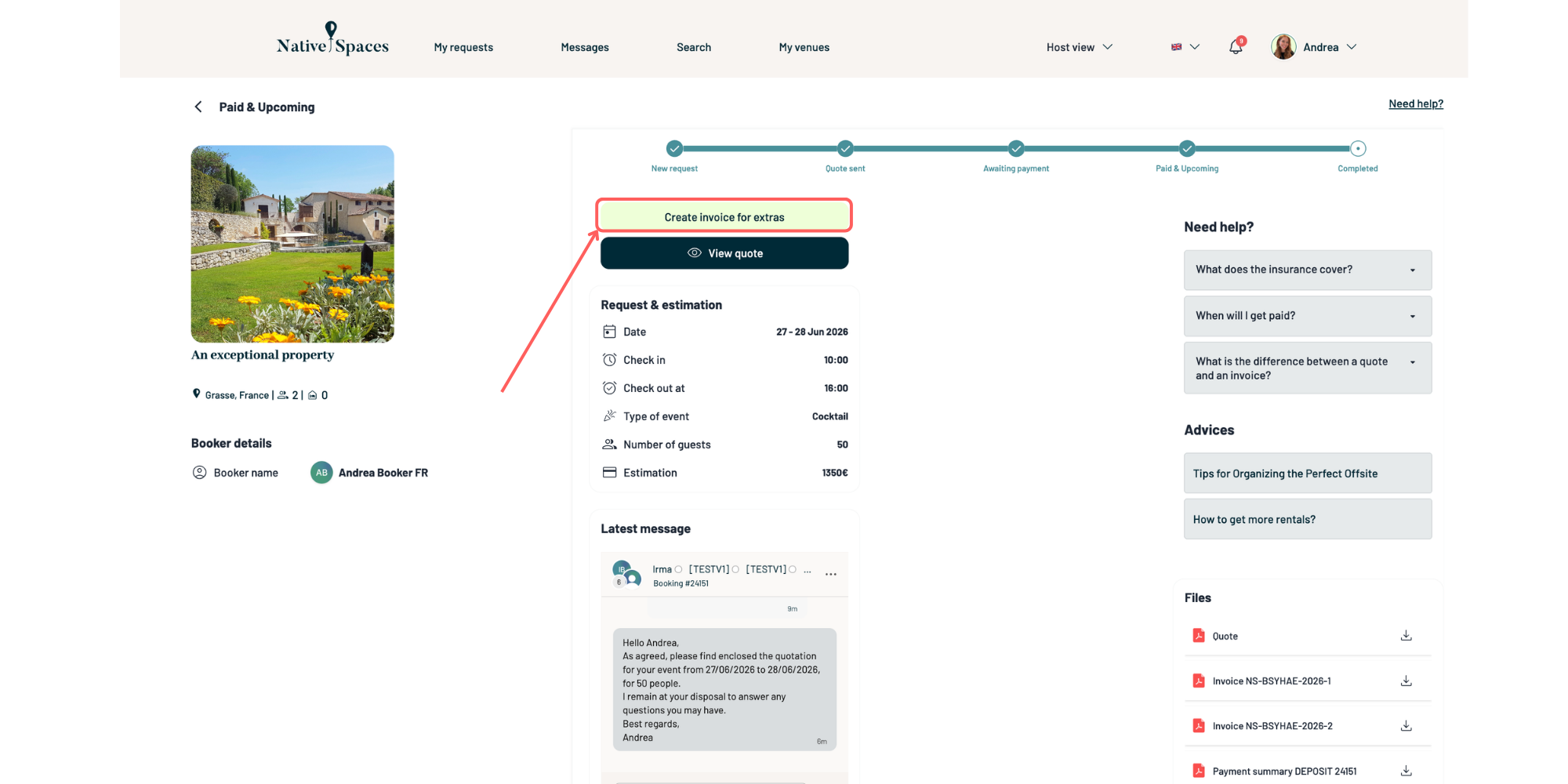
Open the booking and click on “Create Invoice for Extras.”
3. Fill in the Additional Charges
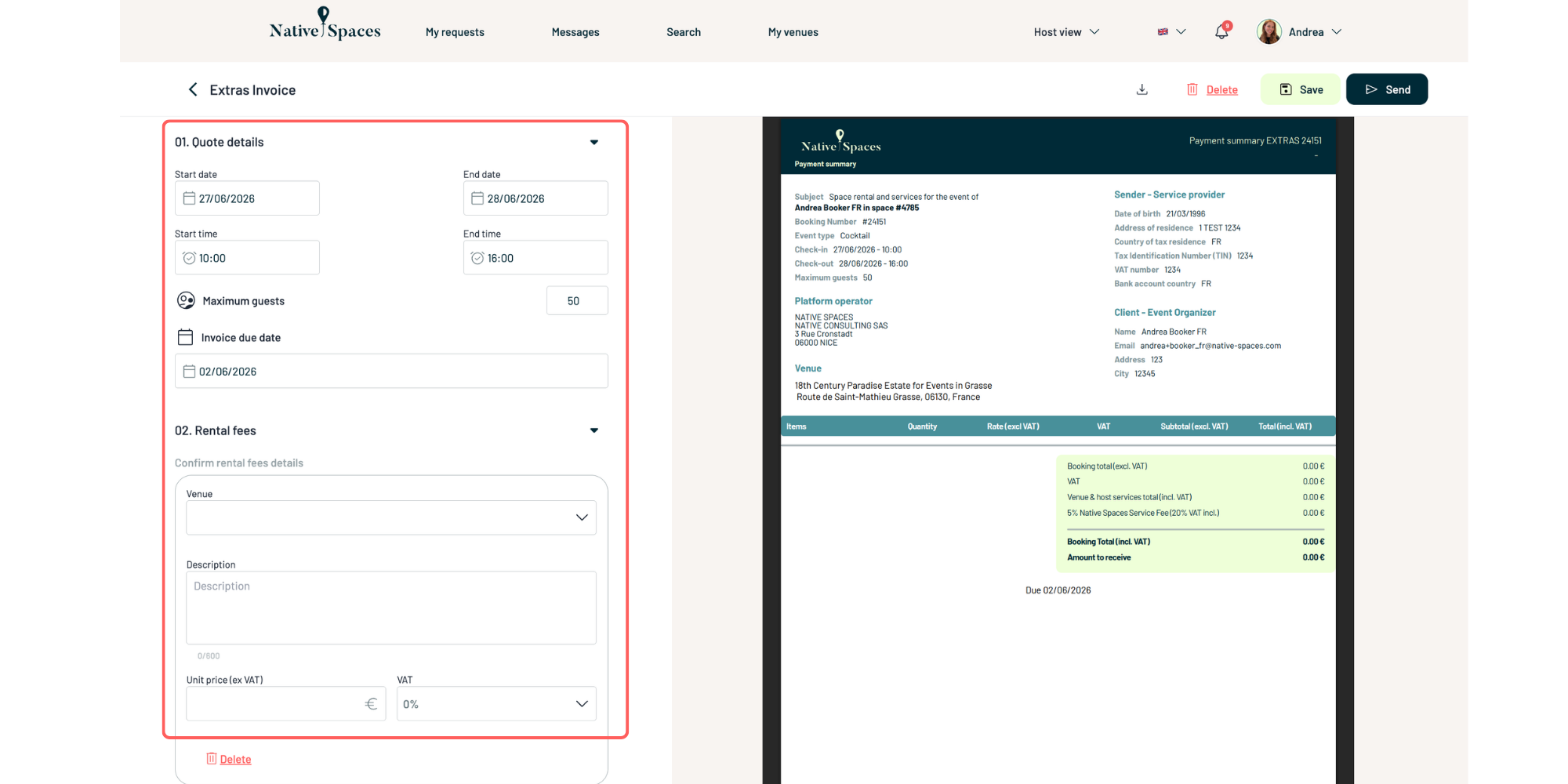
Add the extra amounts that need to be invoiced, for example:
- 1 extra hour of rental
- Additional food or drinks consumption
- Any other agreed extra service
Carefully review the amounts, dates, and all information before sending. Be as specific and explanatory as possible to avoid any miscommunication.
4. Send the Invoice
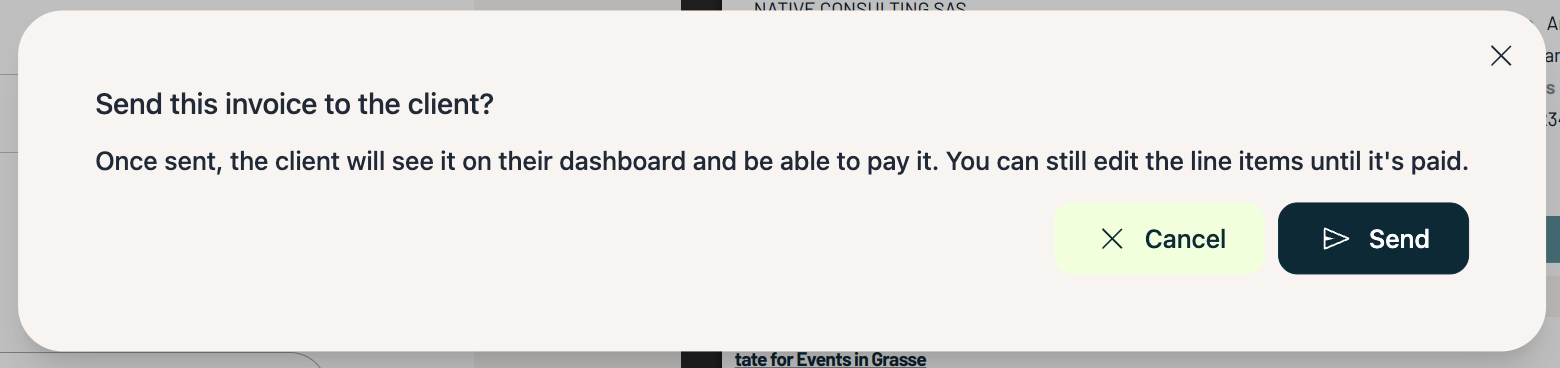
Once the invoice is ready, click Send. You can also download, delete, or save the quote for later.
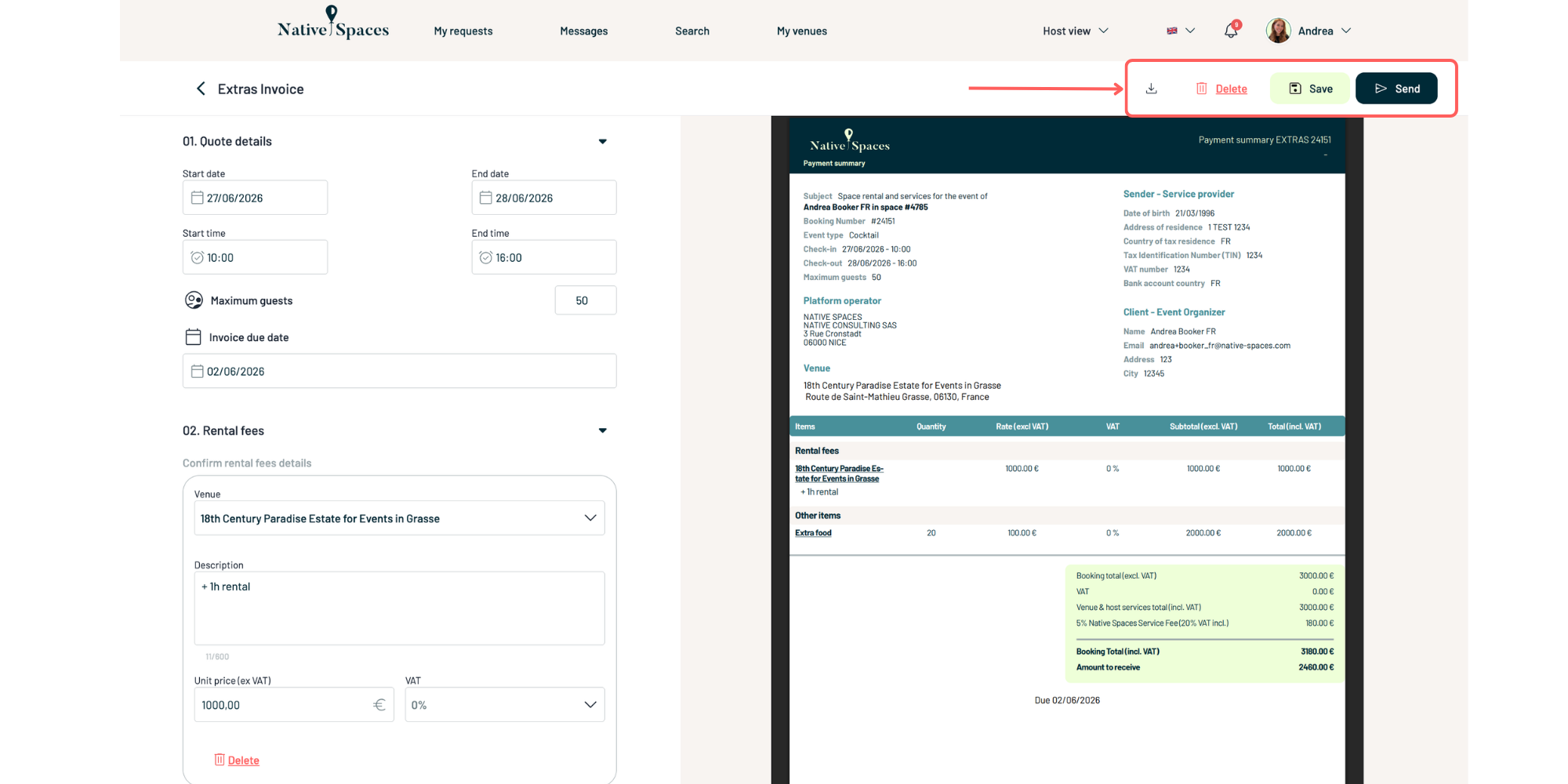
The booker will receive the invoice and can pay online.
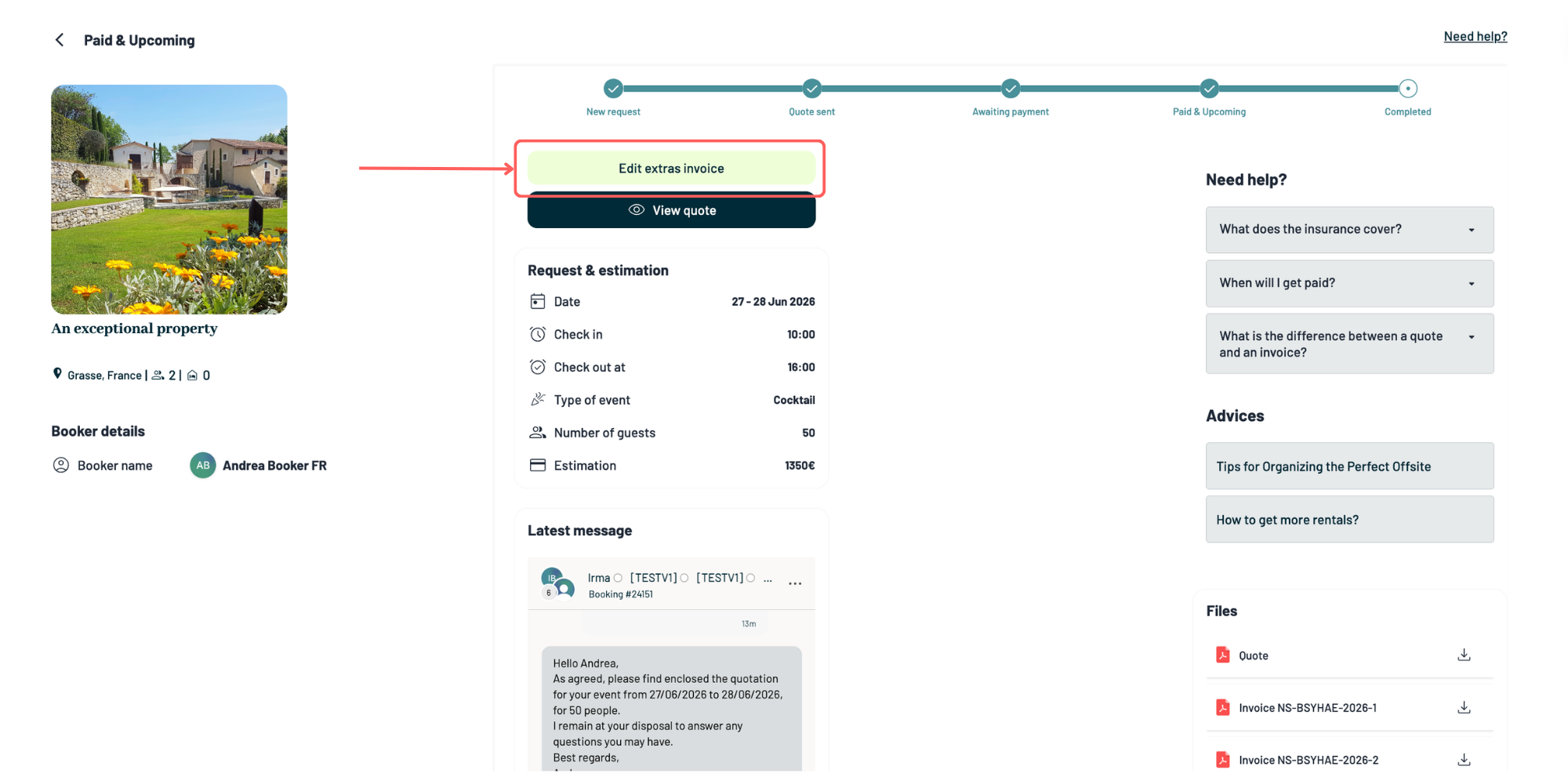
5. Edit Extras Until Payment
As long as the invoice has not been paid, you can still edit the extras if needed.
Please note:
- Once the invoice is sent, the booker can pay at any moment.
- After payment is completed, the invoice can no longer be modified.
We recommend double checking all amounts before sending to avoid any last minute changes.